How Much Have You Actually Made on Kalshi?
Your Kalshi cash balance and portfolio value aren’t the same as your trading profit. Deposits, withdrawals, open positions, settlements, fees, and credits or interest all change what your account is worth.
To see what you have actually made, separate funding (money you put in or took out) from trading results: realized P&L from contracts you sold or that settled, unrealized P&L on positions you still hold, and the fees included in both. Kalshi’s portfolio, its yearly P&L statement, and your trading history each show part of that picture.
A simple example
Balance up, profit smaller.
You deposited $500 and later withdrew $150. Kalshi now shows a portfolio value of $420, and your account received $3 of interest along the way.
- Portfolio value today
- $420
- Plus withdrawals
- +$150
- Minus deposits
- −$500
- Minus interest and credits
- −$3
- Trading result, including open positions
- +$67
The $420 balance is not your profit, and neither is the $70 difference between what you put in and what you have. About $67 came from trading, after fees, and some of it may still depend on positions that have not closed.
Illustrative amounts. Portfolio value uses Kalshi’s displayed position values, which can change and are not a guaranteed sale price.
Your Kalshi balance isn’t necessarily your profit.
Kalshi describes portfolio value as your cash balance plus the displayed value of your positions. Cash changes with deposits, purchases, sales, settlements, withdrawals, fees, and other account adjustments. A deposit raises your balance without any trading gain, and a withdrawal lowers it without any trading loss.
Kalshi also notes that potential payout is not profit: your result depends on what you paid and the fees involved.
Method 1: Review Kalshi’s portfolio and summary.
In the Kalshi app, Portfolio shows your cash, positions, and portfolio value, and position details show an estimated current value. Kalshi’s help center also says that, after trading, you can see a summary of total profits and losses in the documents tab. Check what period and activity any figure covers before comparing it with another number.
Method 2: Review your Kalshi P&L statement.
Kalshi offers a yearly profit and loss statement under Account → Tax Info. Kalshi says it summarizes profits, losses, and fees, uses first-in, first-out (FIFO) accounting, includes fees and rebates, and is updated on the first of each month, so recent trades may not appear yet. How the Kalshi P&L statement works.
Method 3: Reconcile funding and account value.
To estimate your overall result, compare where your account is now with the money you moved in and out, as in the example above:
Portfolio value + withdrawals − deposits − credits, interest, and refunds
This gives a single combined figure. It does not tell you how much is locked in versus still open, which markets produced it, or how much went to fees. Your deposit and withdrawal history and credits are listed in your Kalshi account activity.
Method 4: Understand the underlying trading history.
The complete answer comes from the records themselves: fills (what you bought and sold, at what price, with what fee), settlements (what each market paid out), and open positions. From those you can separate:
- Realized P&L: results already locked in by selling or settlement.
- Unrealized P&L: the current gain or loss on positions you still hold.
- Fees: the trading costs included in both.
Doing this by hand gets slow once you have more than a few markets. What each record in your Kalshi history means.
Track it with Damage Report.
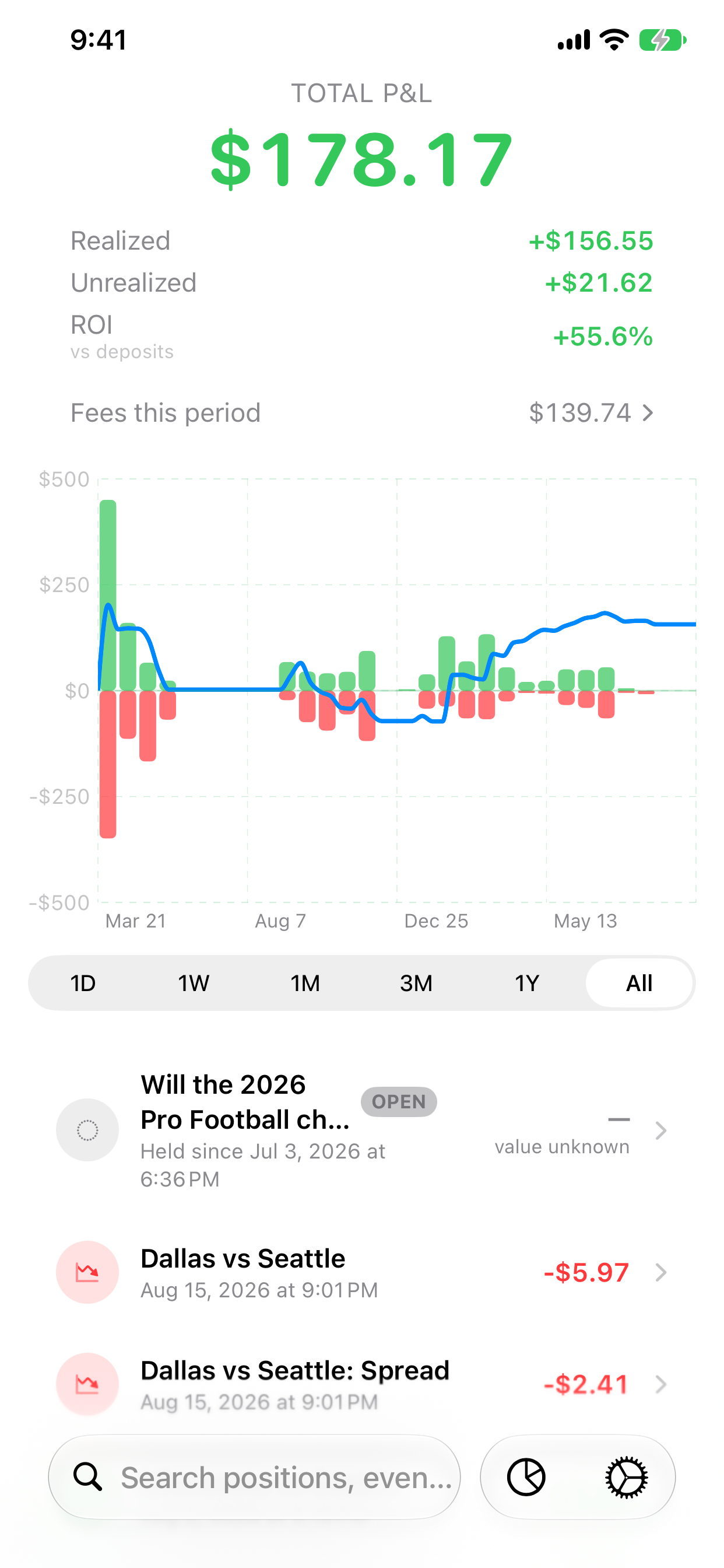
Damage Report reads your Kalshi history with a read-only API key and builds this breakdown on your iPhone or iPad: realized and unrealized P&L, fees, positions, and deposits, withdrawals, and supported statement credits kept separate as funding. You can tap from a total down to the fills and settlements behind it.
Primary sources
- Kalshi Help Center: Portfolio — balances and positions
- Kalshi Help Center: Trading history
- Kalshi Help Center: What tax documentation does Kalshi provide?
- Kalshi Help Center: APY on Kalshi
- Kalshi Help Center: Where to find rewards and incentive information
Sources checked October 5, 2026. Kalshi can change its products, fees, and documents; its current pages take precedence over this guide.