Performance at a glance
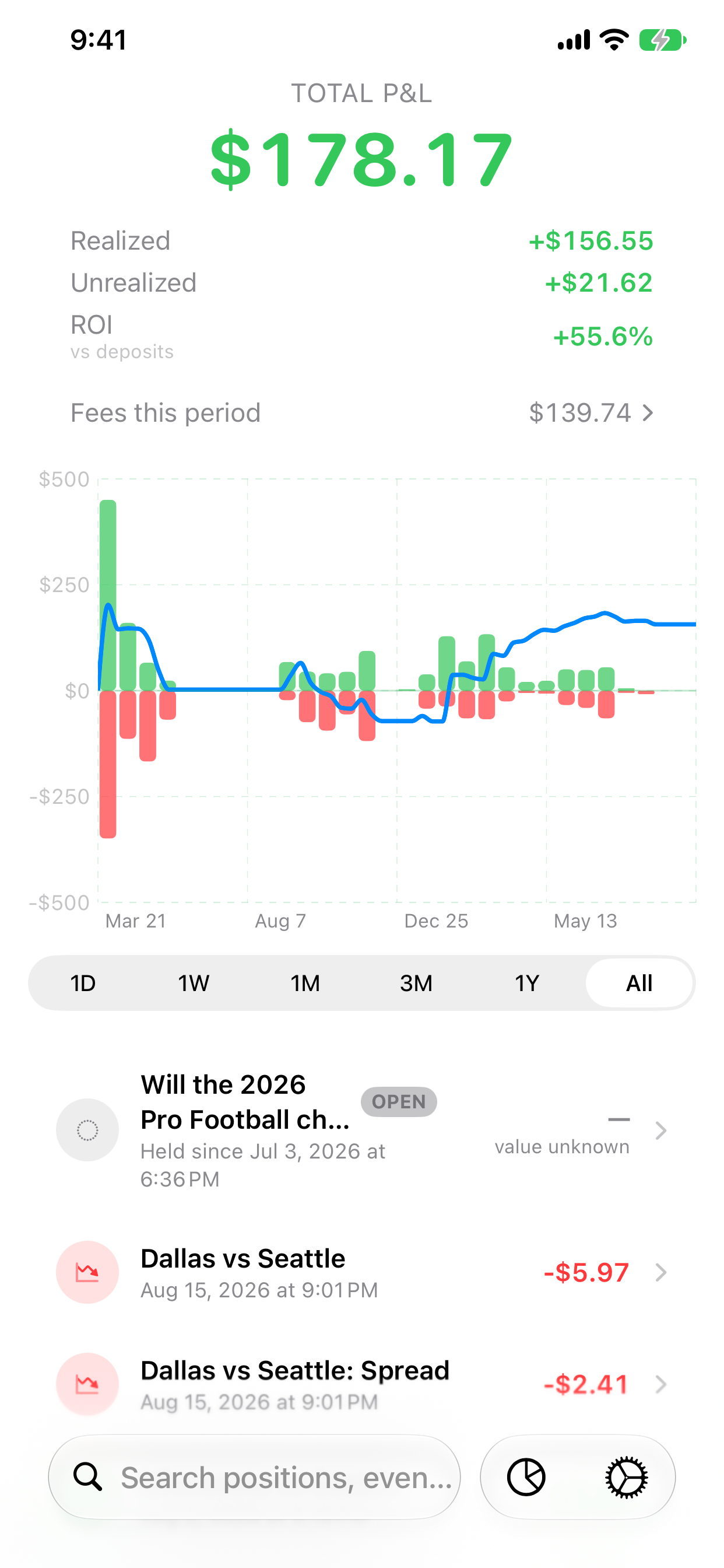
See combined, realized, and unrealized P&L alongside a range-aware return and an equity-style chart. Understand the numbers.
Damage Report
iPhone with iOS 26+ · iPad with iPadOS 26+
Damage Report is an iPhone and iPad app that turns your Kalshi trading history into a clear view of profit and loss: realized and unrealized results, fees, positions, funding activity, and the details behind every number.
Built to explain, not overwhelm
See combined, realized, and unrealized P&L alongside a range-aware return and an equity-style chart. Understand the numbers.
Understand fees for the selected period and drill into fee totals by market, liquidity type, and activity. Why this matters.
Search positions, inspect activity, and move from the headline number to the records that produced it.
See open positions alongside settled results, with realized and unrealized value shown separately. Missing market values are labeled as unknown.
Export fills and settlements as CSV, or create a detailed diagnostic bundle to share only when you choose.
Surface gaps and stale data so you can understand when a total needs a closer look.
A closer look
From fees to individual trades, see the details behind your results. Select any screenshot to view it at full size.
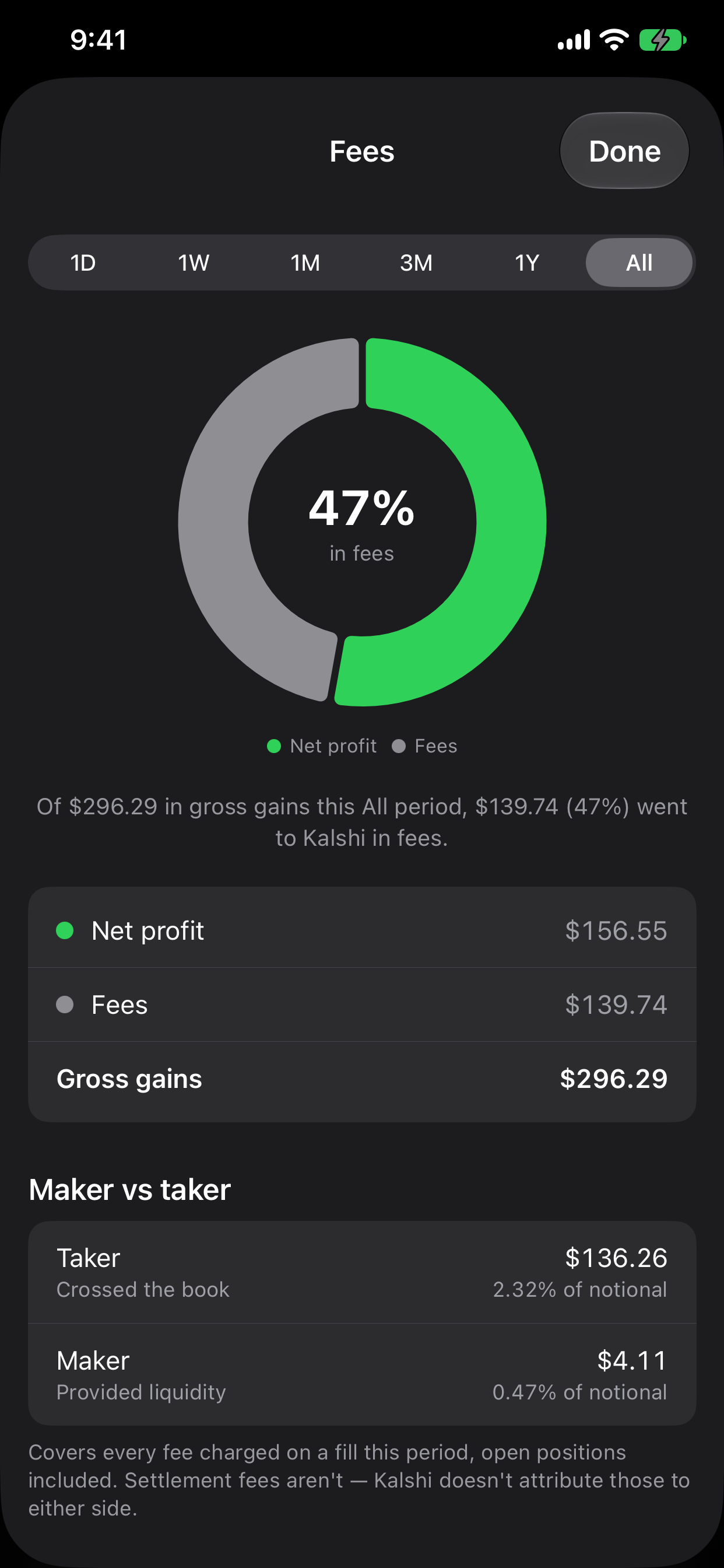
Open Fees from the pie-chart button or Fees this period. Compare fees with net results, check maker and taker activity, and scroll to the market breakdown.
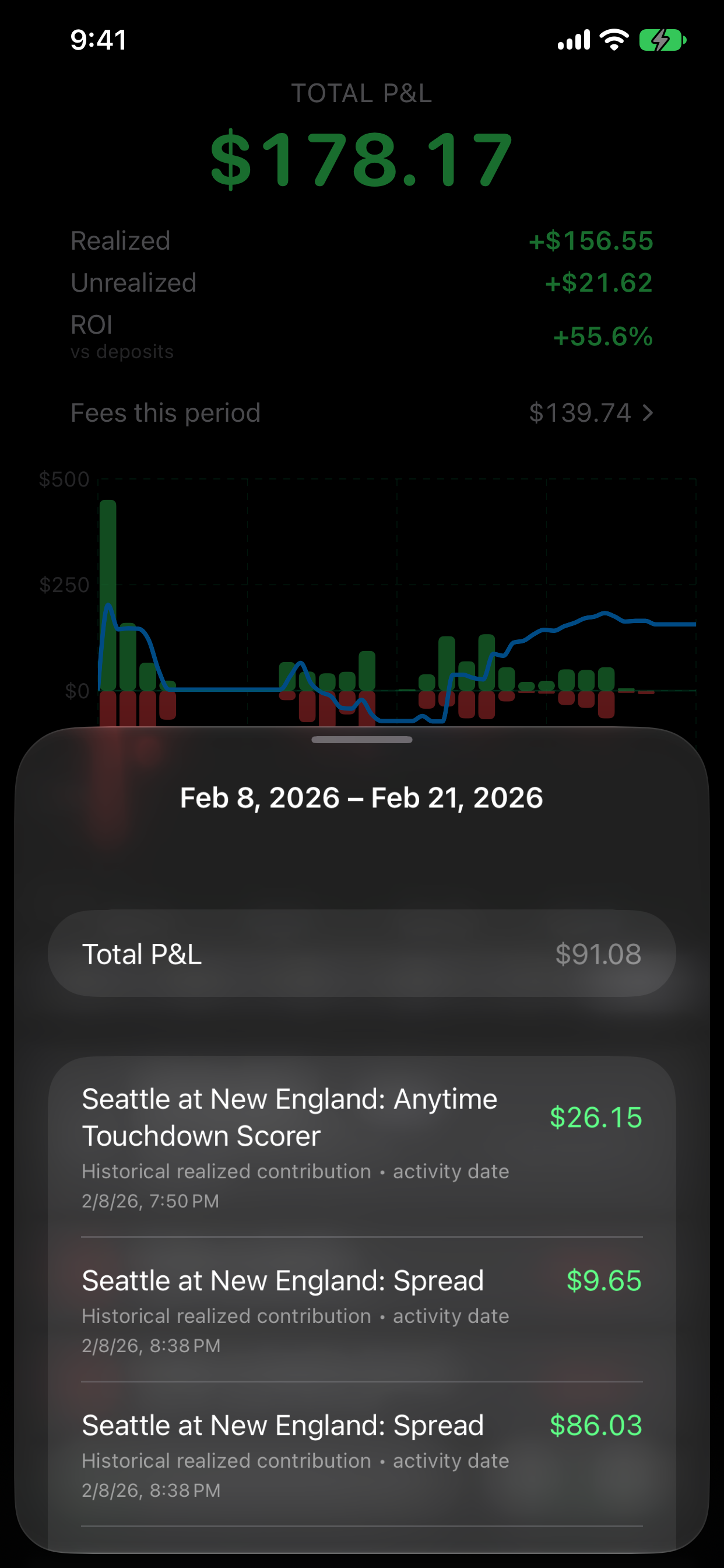
Tap a chart bucket to see its date range, total P&L, and the market contributions behind that part of your history.
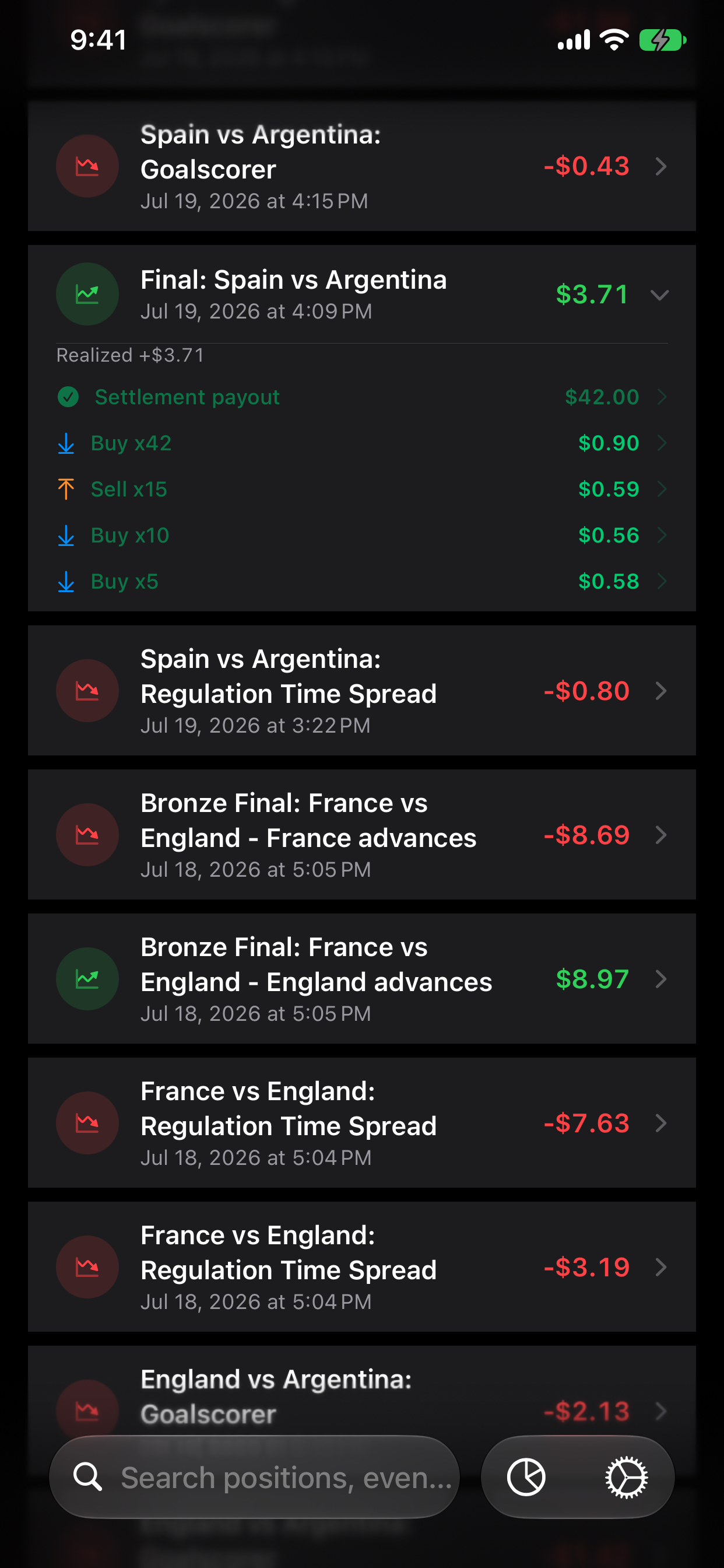
Expand a position to review its fills and settlements. Open a record for the transaction details behind the position’s result.
Actual app screens with curated historical example data, with selected losses omitted. These are illustrations of the app, not an unmodified account history or a forecast of returns.
Understanding your P&L
Profit and loss describes the result of your trades. Money added to your account is funding, not trading profit.
Realized P&L accounts for proceeds, the purchase cost of the contracts closed, and recognized trading fees. The selected range determines which dated results you see.
This compares current portfolio value with the purchase cost and reserved fees of open positions. It can change before you sell or settle. Missing quotes or incomplete history can leave values unknown or provisional.
Fees on an open trading cycle stay with unrealized P&L until that cycle fully closes. They then become realized fees. The separate fee breakdown explains those costs; don’t subtract them again from P&L.
Deposits, withdrawals, and supported statement credits affect account funding. A $100 deposit does not create $100 of trading profit.
All combines lifetime realized P&L with current unrealized P&L when available. Shorter ranges show realized P&L for that period, with current unrealized P&L listed separately. Return percentages use the basis labeled in the app and may be unavailable when required information is missing.
Help with differences or missing dataMore detail: realized vs. unrealized P&L, how fees affect your profit, and why Kalshi numbers don’t always match.
Explore before you connect
Choose Skip for now during setup, open the Settings gear, then select Enter Demo Mode and confirm. Explore charts, positions, fees, and exports without a Kalshi account or API key.
Demo mode keeps your own data separate. Syncs are simulated, account actions show previews, and a public connection check may contact Kalshi without account credentials. Choose Leave Demo Mode to return to your own data.
The app supports light and dark appearance. These screenshots use a curated historical example with selected losses omitted; they do not represent an unmodified account history or expected returns.
Demo help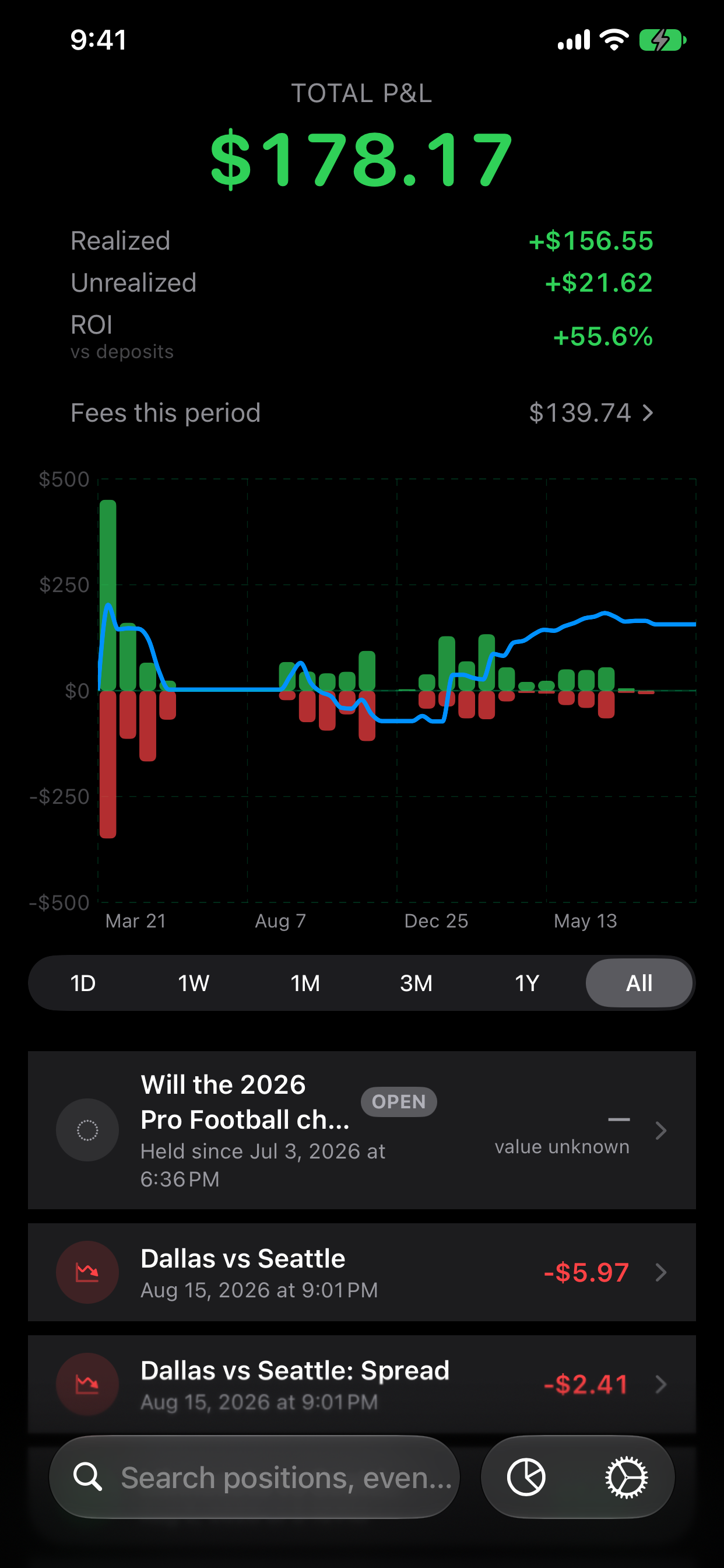
How it works
Open the Kalshi account page in Safari, find API Keys, choose Create key, select Read only, and download the key file.
Import the key file and paste its key ID. Both are kept in the iOS Keychain.
Damage Report syncs directly with Kalshi and builds your performance view locally.
Account statements
In Settings, Account Statements lets you review a Kalshi activity CSV from the in-app browser or Files. Confirm supported promotional credits, interest, and fee refunds to include them as funding, separate from trading P&L. Imports do not replace your API trade history or add deposit and withdrawal rows.
How statement imports workWhat you’ll need
No Kalshi account is needed to explore demo mode. Kalshi account eligibility and regional availability are governed by Kalshi.
Damage Report is an independent product of Every Bit Works, Inc. It is not affiliated with, endorsed by, or sponsored by Kalshi. It is a reporting and analysis tool; it does not place trades, move funds, or provide financial or tax advice. Verify results against your official account records.